 GITEX Dubai
 Ai Everything
 LEAP26
 AI
AI Saudi Arabia
 UAE
UAE Egypt
EgyptAI Workflow Automation Without the Builder: Meet Assista

10 min
Teams feel stuck as work bounces between apps, relying on “copy‑paste and human memory.
” SaaS sprawl grows, with firms running dozens or even hundreds of tools.
Traditional automation brings “drag‑and‑drop fatigue”, developer bottlenecks, and unpredictable task pricing.
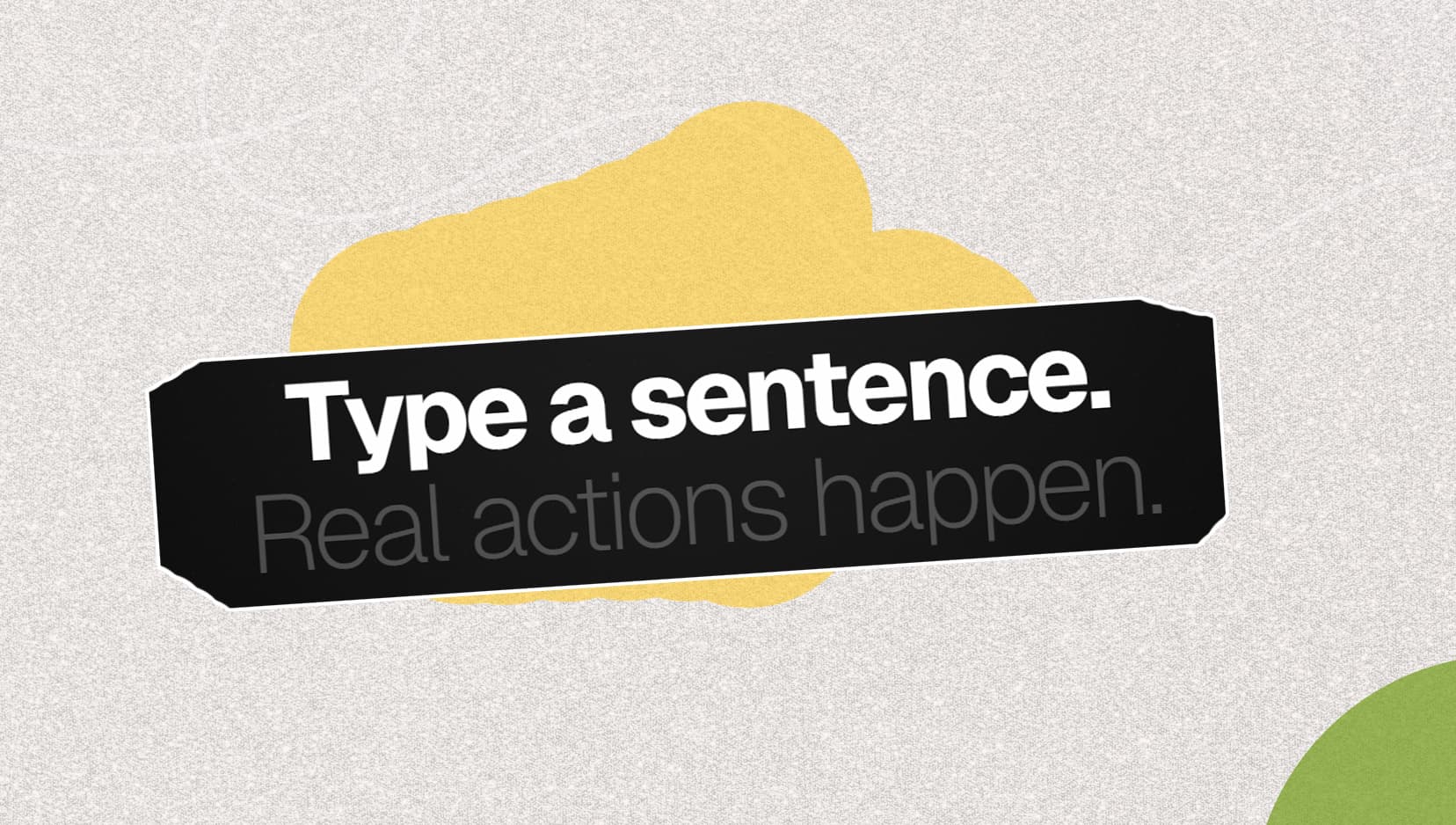
Assista promises: “Type a sentence.
Real actions happen” across 600+ integrations.
It targets team-wide adoption with natural language workflows and enterprise-grade security claims.
Most teams don’t feel “unautomated.” They feel stuck.
Not because they lack tools—but because their work lives between tools.
A customer email arrives in Gmail. Someone summarizes it in a doc. A note gets pasted into Slack. A follow-up is created in the CRM. A task is opened in Notion or Jira. A manager asks for an update. Someone screenshots a thread. Then the cycle repeats.
Multiply that by every deal, every ticket, every invoice, every internal request, and you get the reality of modern ops: workflows spanning 10–40 apps that still rely on copy-paste and human memory.
SaaS sprawl is real. Okta’s reports show companies deploy a large number of apps (e.g., average app counts reaching 93 in 2024 and 101 in 2025), which increases the number of cross-app handoffs teams have to manage. A 2026 SaaS Management Index report also suggests large organizations can maintain portfolios in the hundreds of apps—meaning the “surface area” for workflows and breakages keeps expanding.
So the promise of automation tools makes sense. But here’s the quiet problem: many automation platforms are still built like engineering tools. You either drag-and-drop logic until it looks right, or you code and self-host until it’s stable.
Assista enters with a different bet:
“Type a sentence. Real actions happen.”
No canvas. No YAML. No training curve. You connect your apps, describe what you want in plain language, and it executes the workflow across tools.
This article breaks down what that actually means, where it fits, and when it’s genuinely better than traditional workflow builders.
Why Traditional Automation Tools Fail Teams
Let’s be fair: tools like Zapier, Make, and n8n exist because they solve real problems. But they also carry three failure modes that show up once you try to scale automation beyond a power user.
1) Drag-and-drop fatigue is real
Visual builders look friendly—until your workflows grow.
- Simple automations are fine.
- Multi-step workflows become “mini applications.”
- Ownership becomes unclear (“Who built this?” “Who updates it?”).
- Adoption stalls because non-technical teammates don’t want to touch it.
This is why so many companies have automation tools but still run key processes manually.
2) Developer-first tools introduce infrastructure overhead
Tools like n8n can be powerful, especially for technical teams. But that power comes with tradeoffs:
- Setup and maintenance (self-hosting, updates, credentials)
- Technical debugging when something breaks
- A smaller set of people capable of building and maintaining workflows reliably
If your goal is team-wide automation, developer-first can become a bottleneck.
3) Per-task pricing can feel unpredictable at scale
Many automation platforms meter usage by tasks/actions/steps. The more you automate—and the more steps your workflows have—the faster you consume your quota.
Zapier defines what counts as a “task” and explains how usage is calculated across steps. Even when the model is reasonable, it can still create planning friction for teams trying to forecast cost as automation expands.
Assista’s positioning leans directly into this pain by emphasizing “no per-task charges” and a more predictable usage model via credits/tokens.
What Is Assista?
Assista describes itself as an AI workflow automation product built around execution—meaning it doesn’t just suggest what to do; it can actually do it across connected apps.
The core concept is simple:
- Connect your apps (OAuth-based integrations are part of the pitch)
- Type what you want in natural language
- Let Assista interpret intent and run the workflow across tools
Assista claims it can automate multi-step workflows across 600+ apps, with a “plain English” interface designed for non-technical teams.
That “one sentence → real actions” approach is the whole point: reduce automation to the same interface everyone already knows—writing.
How Assista Turns One Sentence Into Real Actions
To understand the category, it helps to see it as an execution engine rather than a builder.
Here are three realistic walkthroughs (the kind you can actually deploy in a team without turning it into a project).
Workflow #1: Gmail → Slack (sales visibility)
You type:
“When I get an email from a client, summarize it and post the summary to #sales on Slack.”
What happens behind the scenes:
- Trigger: new email arrives in Gmail
- Action: summarize content
- Action: post formatted summary to a Slack channel
This is the exact type of workflow Assista markets as its sweet spot: cross-app tasks that usually require copy/paste and context switching.
Workflow #2: Support intake → CRM context → ticket update
You type:
“When a Zendesk ticket comes in, pull the customer’s account details from the CRM and add the key context to the ticket.”
Value: support agents stop bouncing between tools, and tickets get resolved faster with fewer internal questions.
Assista’s use-case pages emphasize cross-app workflows and connected tool stacks (e.g., Gmail, Trello, etc.) as a core theme.
Workflow #3: Finance ops → invoice extraction → exception reporting
You type:
“When an invoice PDF arrives, extract the invoice number, total, and due date, match it to the PO, and send exceptions to finance.”
This type of workflow is where “automation” becomes “operational leverage”: fewer errors, fewer delays, less time spent on repetitive checks.
Three Autonomy Modes: Why It Matters
One of the smarter ideas in modern automation is progressive autonomy: not everything should run fully hands-off on day one.
Assista explicitly markets three autonomy levels:
- Interactive
- Guided
- Autonomous
Even without overexplaining, the practical benefit is clear:
- Interactive: “Show me what you’ll do first.” Great for sensitive workflows.
- Guided: “Run it, but ask when uncertain.” Great for building trust.
- Autonomous: “Run end-to-end.” Great once workflows are proven.
In my opinion, this is one of the biggest differences between “AI that helps” and “AI you can operationalize.” Teams don’t reject automation because they hate efficiency—they reject it because they don’t trust it yet.
“Adapts to API changes”: The Claim You Should Pressure-Test
The brief includes a big promise: workflows breaking when APIs change is a common reason teams revert to manual processes.
Assista claims the ability to adapt to API changes automatically as part of its differentiation.
This is exactly the kind of claim you should validate during evaluation:
- What types of changes can it handle (field names, auth scopes, endpoint behavior)?
- What happens when an integration breaks—does it retry, alert, propose a fix?
- Is there an audit trail of what changed?
- Can you lock down critical flows to avoid silent drift?
If the platform genuinely reduces “workflow fragility,” it’s a meaningful operational advantage. If it only handles minor changes, it’s still useful—but you should set expectations correctly.
Real Use Cases Across Teams
Assista’s messaging is broad (ops, sales, support, IT), but the strongest use cases tend to cluster around repeatable workflows with clear triggers and outcomes.
Customer Support
- Pull customer context automatically
- Update tickets with CRM history
- Trigger refunds or escalation steps (with approvals when needed)
Outcome: fewer tabs, faster resolution, less “where do I find this?” time.
Sales Ops / RevOps
- Lead enrichment + CRM updates
- Follow-up drafting + scheduling
- Deal stage housekeeping
Outcome: fewer leads falling through cracks and less admin work for reps.
IT & Systems
- Cross-app provisioning requests
- Ticket triage + routing
- Monitoring and incident notifications
Outcome: less manual glue work across systems.
Finance & Back Office
- Invoice extraction + matching
- Payment reminders + status updates
- Exception reporting
Outcome: fewer errors and faster cycle times.
Enterprise-Ready Security (What Assista Claims)
If you’re automating across company systems, security is non-negotiable.
Assista states:
- SOC 2 Type II certified
- OAuth 2.0 for integrations
- AWS KMS encrypted credentials
- SSO / SAML available
Those are strong signals for enterprise buyers, and they’re worth confirming with the trust artifacts during procurement.
(Note: I’m repeating Assista’s published claims here; any security evaluation should still include your own vendor review and confirmation.)
Assista vs Zapier and n8n
Here’s the simplest comparison that matches how teams actually evaluate automation tools.
| Feature | Zapier | n8n | Assista |
|---|---|---|---|
| Setup time | Typically minutes–hours depending on workflow complexity | Often hours–days (especially if self-hosted/maintained) | Positioned as minutes via natural language workflows |
| Code required | No (for most use cases) | Often yes/technical configuration | No (positioned as “type a sentence”) |
| Learning curve | Medium (builders, triggers/steps) | High (developer-first) | Low/“zero learning curve” positioning |
| Pricing model | Task-based usage is core to the model | Infra + maintenance costs (if self-hosted) | “No per-task charges” + credits/tokens pricing |
| Handling integration/API breakage | Usually manual troubleshooting | Manual troubleshooting + maintenance | Claims AI adaptation to API changes |
| Best fit | Teams that want a mature integration marketplace | Technical teams needing deep control | Teams that want execution via natural language |
This table is intentionally practical. It’s not about which tool is “best.” It’s about which tool matches your operating model.
Who Assista Is For (And Who It’s Not For)
Assista is a strong fit if you are:
- A SaaS team (roughly 20–500 employees) trying to reduce ops burden
- An ops-heavy organization where workflows span many apps
- A team that wants automation but can’t get adoption because tools feel too technical
- An organization that needs security signals like SOC 2 Type II and SSO/SAML in the conversation
Assista may not be ideal if you are:
- Building highly specialized, infrastructure-level workflows that require deep custom logic
- Running developer experimentation where code-first flexibility matters more than usability
- Looking for full control over hosting and execution environment (Assista positions as managed SaaS)
In other words: Assista is trying to win the “automation for the whole team” category, not the “build your own integration platform” category.
Pricing and Getting Started
Assista promotes a free plan and positions pricing as “simple” and “no surprises,” explicitly calling out no per-task charges.
From its pricing page, you can see usage framed in terms of credits/tokens and workflow capacity (with plan tiers and monthly token allotments).
Just as importantly, Assista claims most users can connect apps and run a first workflow within a few minutes (its pricing FAQ mentions a “within 3 minutes” setup claim).
If you’re evaluating, here’s a grounded way to test quickly:
- Connect Gmail + Slack (or CRM + Slack)
- Implement one workflow that currently wastes human time daily
- Run it in Interactive or Guided mode for a week
- Measure: time saved, errors avoided, adoption, and trust
The Bigger Context: Automation Isn’t Optional—But It Has to Be Usable
Gartner has pointed out that by 2026, a meaningful share of enterprises will automate more than half of certain activities (e.g., in network contexts), reflecting a broader acceleration in automation adoption.
At the same time, app portfolios remain large, costs rise, and teams keep adding tools. That combination guarantees one thing: the amount of work that lives between systems will keep growing—unless execution gets easier.
Assista’s bet is that the easiest interface is natural language. No builder. No “learn our automation logic.” Just describe the work and run it.
I like the direction—because the biggest blocker to automation is rarely capability. It’s adoption.
Conclusion: Stop Building Workflows. Start Running Them.
If your team is already using Zapier or Make and it works, you don’t need to rip and replace.
But if you’re dealing with:
- tool fatigue
- brittle workflows
- low adoption
- and automation that only a few people can maintain
…then it’s worth trying an execution-first approach.
Assista positions itself as:





- AI workflow automation through natural language
- 600+ integrations
- multi-step execution
- three autonomy modes
- enterprise-grade security claims (SOC 2 Type II, SSO/SAML, AWS KMS)
Your first automation is genuinely close—but the right way to think about it is not “AI magic.” It’s an operating model shift