 Ai Everything
 LEAP26
 AI
AI Saudi Arabia
 UAE
UAE Egypt
EgyptHow We Learned to Stop Trusting Our Gut and Start Trusting the Design!? ClarityUX answers

5 min
The first time we launched a big campaign for a brand-new landing page, everything felt right.
The design looked clean. The copy sounded confident. Everyone in the room agreed it would perform.
Two weeks later, we opened the analytics and felt that familiar sinking feeling:
people were bouncing before even noticing the signup button.
The problem wasn’t traffic.
It wasn’t the offer.
It was our assumptions.
That was the moment we realized how expensive “confidence” can be in UX.
Why traditional UX feedback keeps letting teams down
In theory, we are surrounded by tools.
In reality, most teams are still working blind.
Here’s what usually happens behind the scenes:
Design reviews turn into opinion battles rather than clarity.
Heatmaps arrive after the budget is already gone.
A/B tests drag on for weeks, eating into launch momentum.
Accessibility and SEO problems show up when fixing them is painful and costly.
The whole system teaches us the same bad habit:
you only learn after you’ve already paid for the mistake.
The shift from reacting to predicting
We didn’t need more reports.
We needed foresight.
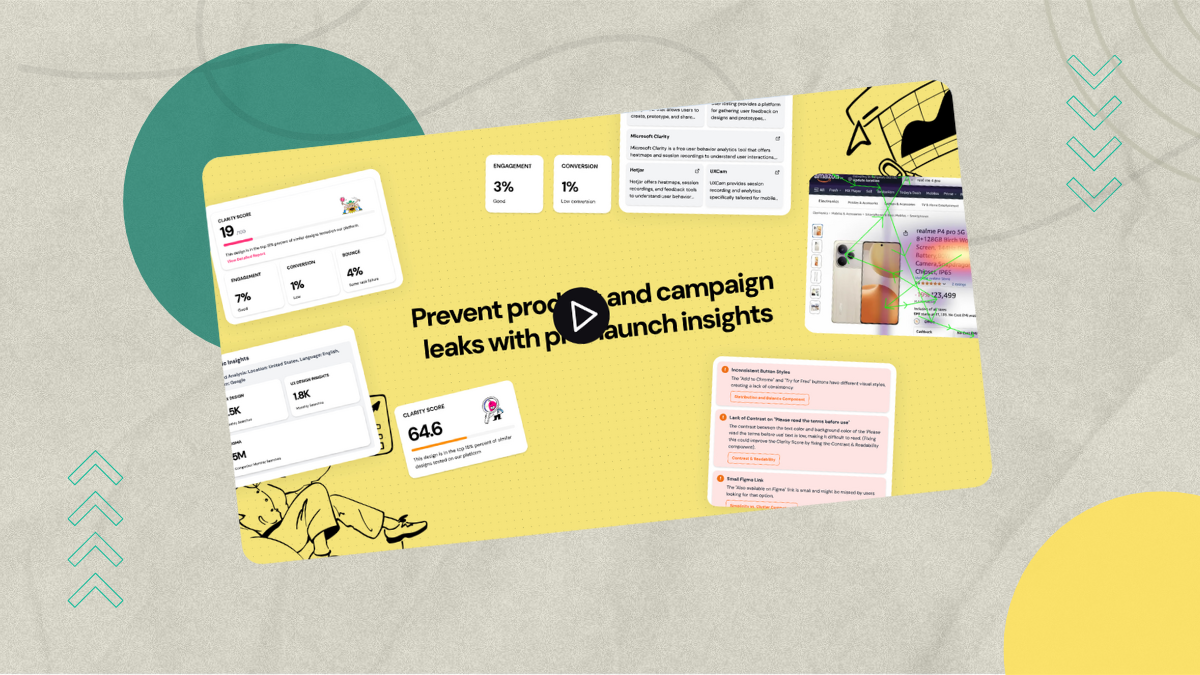
That is what first drew us to ClarityUX. Not another dashboard — but a way to see problems before users ever touched the page.
Instead of waiting for traffic, ClarityUX simulates it.
You upload a design, and it tells you something brutally honest:
where people will probably look, what they are likely to ignore, and where your “important” CTA is quietly getting lost.
It feels less like analytics and more like someone watching over your shoulder and saying,
“Here is where this will break.”
What makes ClarityUX feel different in daily work
Using ClarityUX isn’t about chasing perfect scores.
It’s about spotting friction early — while fixing it is still cheap.
When we review a layout now, we’re not asking if it looks nice.
We ask:
Will the headline compete with the button?
Is the product image stealing attention from the form?
Are we overwhelming the user before giving them a reason to care?
The answers come back in seconds, not weeks.
Predictive attention in simple terms
Here’s how it fits into real workflows:
We upload a landing page or ad creative.
The system generates an attention map showing where eyes are likely to land first.
It traces the natural visual path users will follow.
Then it explains — in plain language — where hierarchy collapses and where conversion paths weaken.
No jargon. No fluff. Just, “This will confuse people” or “This will pull focus away from your goal.”
Where this really pays off
Ads that stop burning money
Before launching campaigns, we now catch headlines that overpower CTAs, or visuals that distract instead of persuade.
Landing pages that guide instead of overwhelm
Hero sections become clearer. Forms become easier to notice. We fix structure problems before Google Ads ever sees the page.
Packaging, billboards, offline visuals
We tested product packaging once that looked beautiful — but people kept staring at the logo instead of the product name. ClarityUX showed us the issue instantly.
Funnels that don’t leak trust
From pricing pages to onboarding screens, we finally see where attention drifts away from commitment.
Here's a sample:
Ads that stop burning money
Before campaigns go live, we surface attention conflicts—headlines overpowering CTAs, or visuals that distract instead of convert.
Why this matters:
Ads with clear visual hierarchy can improve click-through rates by up to 38% (Attck).
Google reports that mismatched ad-to-landing-page intent can increase CPC by 20–30% due to lower Quality Scores.
Landing pages that guide instead of overwhelm
Hero sections become unambiguous. Primary actions become unmistakable. Structural friction is resolved before Google Ads ever evaluates the page.
Why this matters:
Users form a first impression of a landing page in ~50 milliseconds (Google Research).
Simplifying page structure and reducing competing elements can lift conversions by 10–30% (CXL Institute, Conversion Optimization Benchmarks).
Packaging, billboards, offline visuals
We once tested packaging that was aesthetically striking—but users fixated on the logo instead of the product name. Attention mapping revealed the issue instantly.
Why this matters:
Eye-tracking studies show that consumers spend up to 70% of viewing time on dominant visual elements, often missing secondary but critical information (Nielsen Consumer Neuroscience).
Clear product naming improves recall by 25%+ in retail shelf tests (Journal of Consumer Psychology).
Funnels that don’t leak trust
From pricing pages to onboarding flows, we pinpoint exactly where attention drifts away from commitment—and why.
Why this matters:
69% of users abandon workflows when cognitive load or uncertainty spikes (Baymard Institute).
Improving clarity around pricing and next steps can reduce drop-off by up to 35% in SaaS funnels (Baymard + CXL aggregated studies).
It doesn’t replace creativity — it protects it
This is the part most tools miss.
ClarityUX doesn’t tell designers what to create.
It protects their ideas from being misunderstood by users.
It lets creativity breathe — without gambling your budget on hope.
Why this changed how we grow
Before, every launch felt like a small risk.
Now, it feels like a controlled experiment.
We don’t ask anymore:
“Why didn’t this work?”
We ask:
“What will work better next time?”
That mental shift alone is worth more than any metric.
Start testing before your users do
Every design is a hypothesis.
The only question is how expensive you let it become.


ClarityUX helped us stop paying for avoidable mistakes — and start learning before launch day.
If you are tired of reacting to failure instead of preventing it, this is the smartest place to start.